Weigh in once a day. WeightGlide draws the trend that daily swings hide, the way The Hacker's Diet does it, and keeps it on your phone. Free, with no account, and nothing sent anywhere.
Morning after morning on a scale. The dots are what it said; the line is what your weight was doing.
One number a day
Weigh in each morning, or let your scale send it through Apple Health. That is the whole routine. Missed days are fine; the trend does not mind.
The trend, not the scale
A single reading moves with water, salt and the time of day. WeightGlide shows the exponentially smoothed trend underneath, the weight you are really at, and treats the morning's number as what it is: one noisy sample.
Yours, on your phone
No account, no server, no analytics: nothing is sent anywhere, because there is nowhere to send it. Delete the app and its data goes with it; what you sent to Apple Health stays in Health, yours to keep or remove.
What it looks like
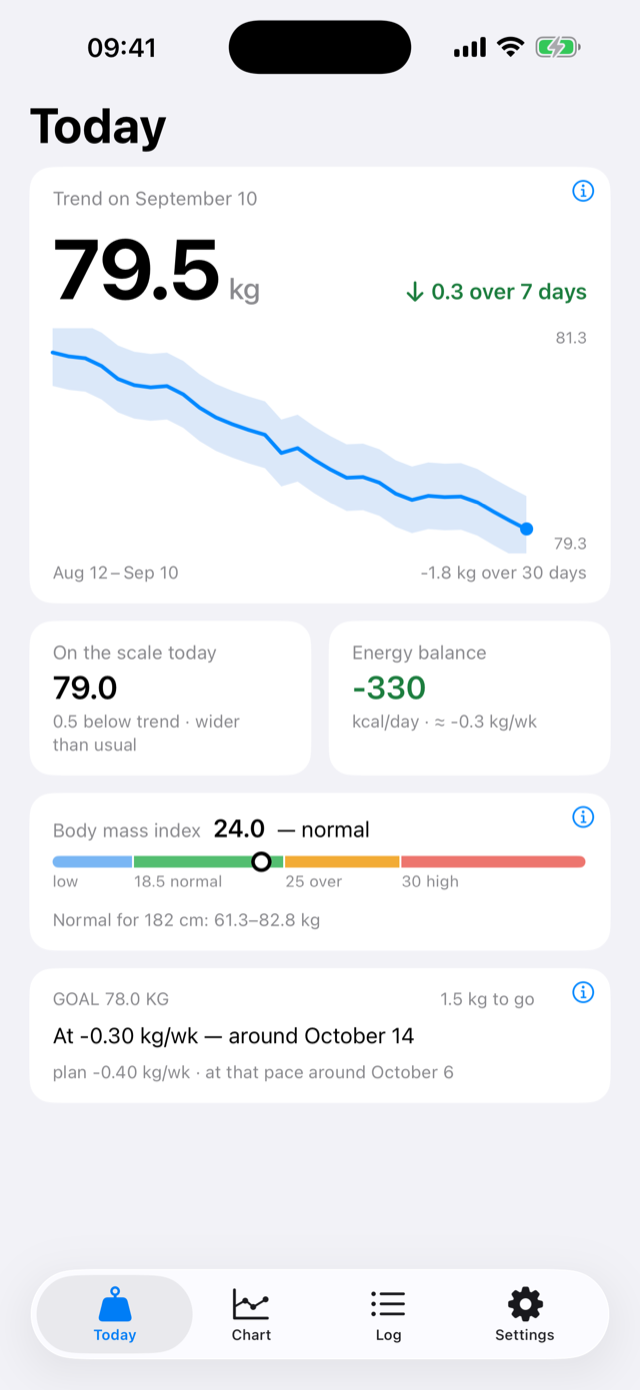
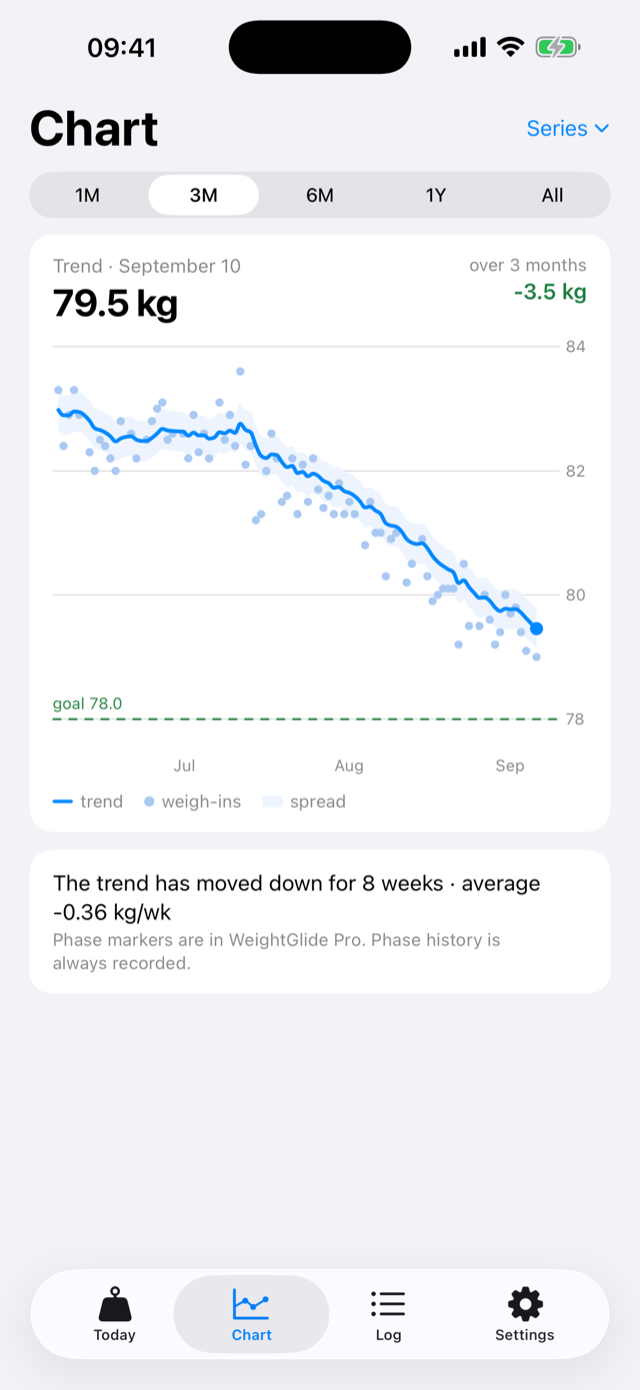
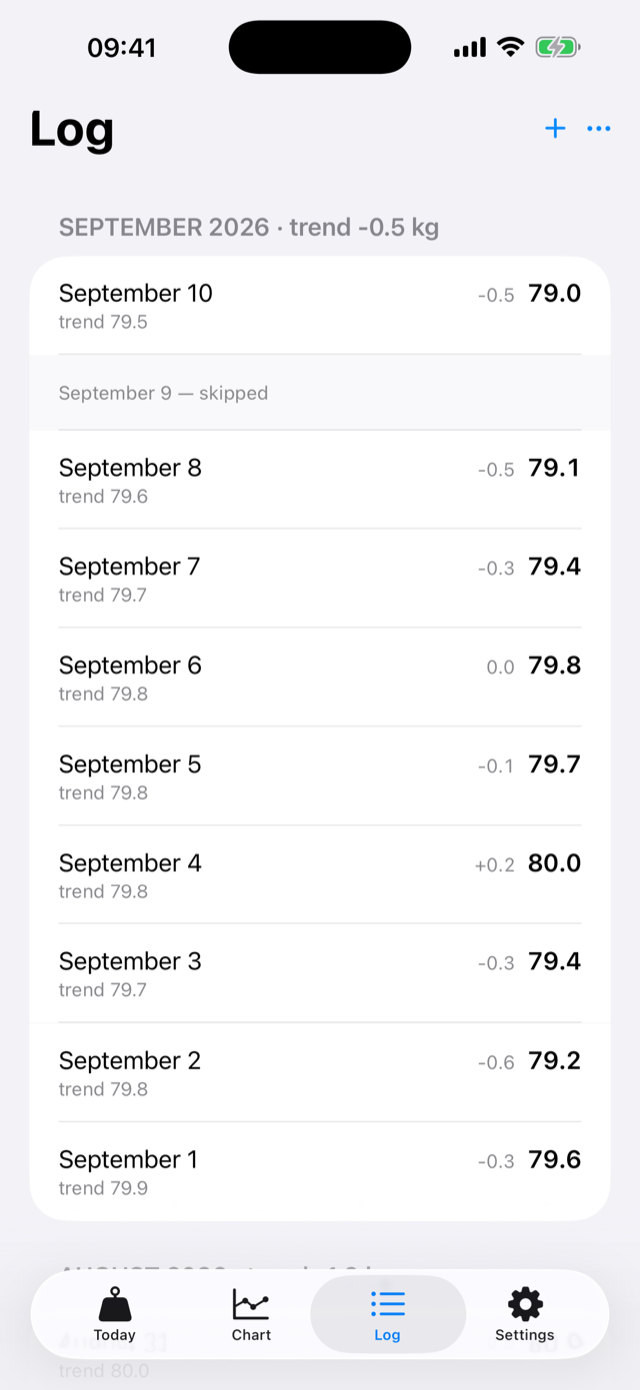
TodayThe trend and how it moved this week, today's number against it, the energy balance, and the goal with the date it is heading for.ChartWeigh-ins, trend, the band your daily noise usually stays inside, and the goal line.LogEvery day you have entered, with the trend as it stood that morning, and each month summed up in its heading.
Calm Mode
Some weeks the number on the scale is the last thing you need to see. Calm Mode keeps the log and hides the daily arithmetic: no today's weight, no daily ups and downs, no countdown to the goal. What stays is the trend, once a week, in one sentence.
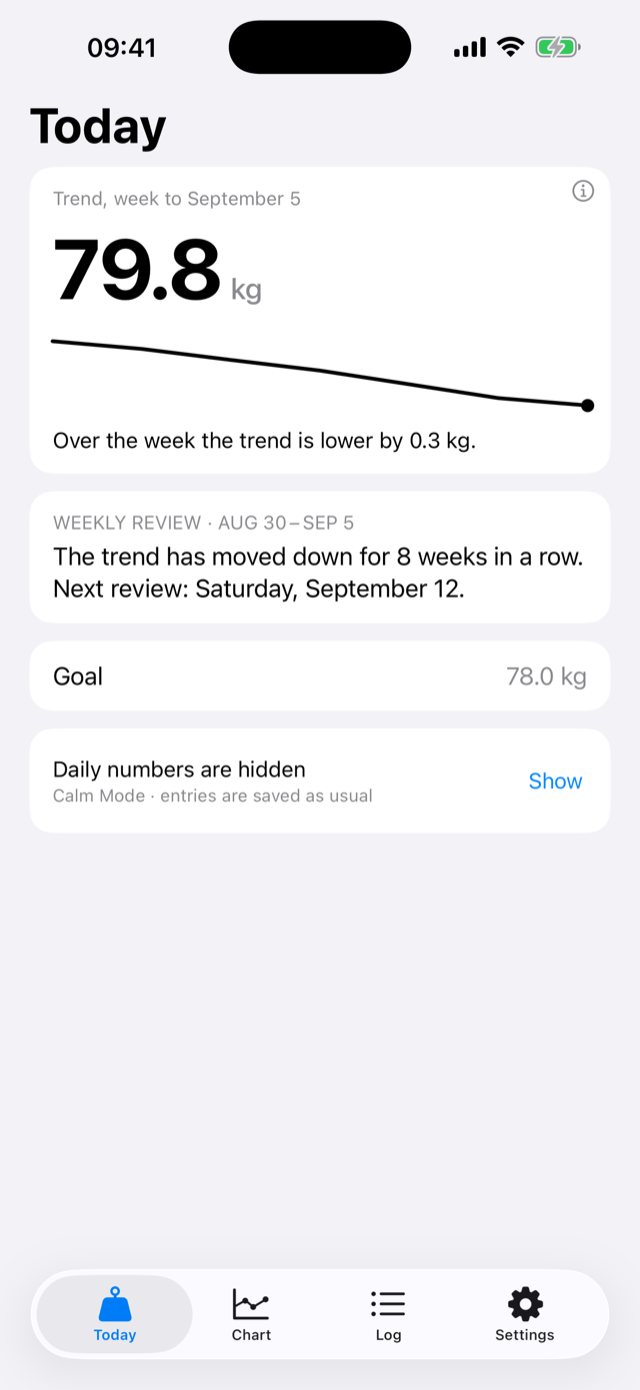
Everything is still recorded: your entries, Apple Health, the export. Only what is shown changes, and one tap brings the numbers back. The same three screens, in Calm Mode:
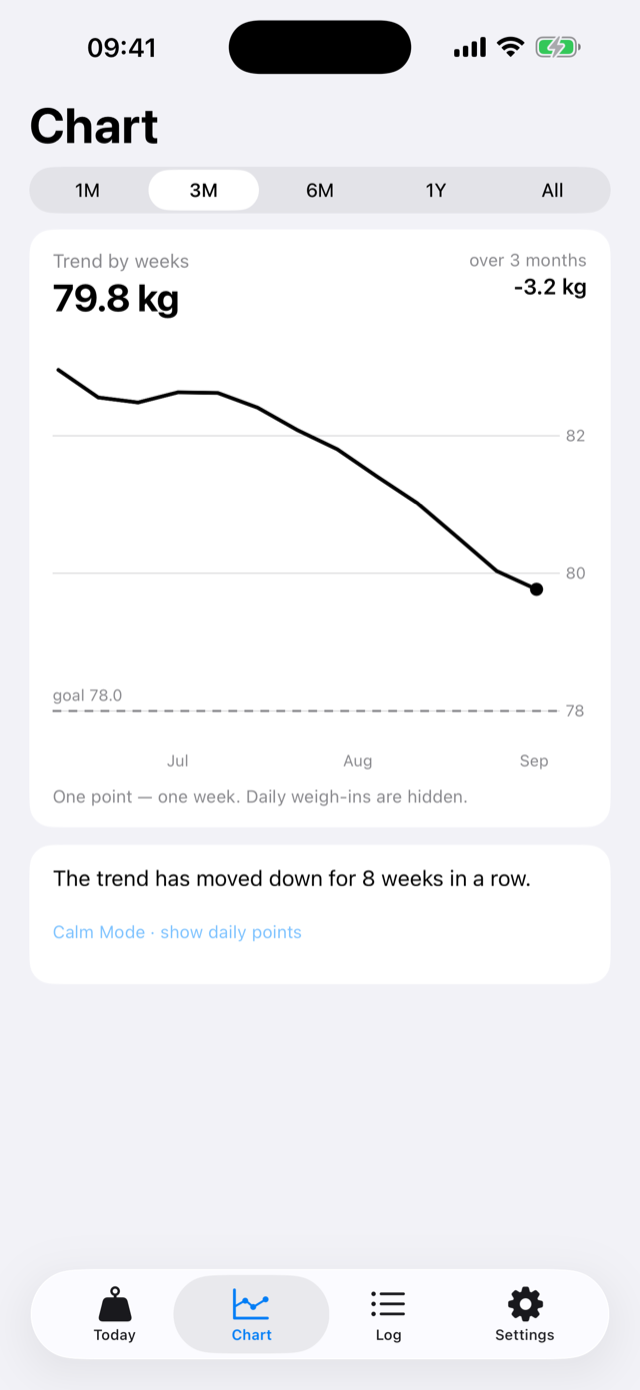
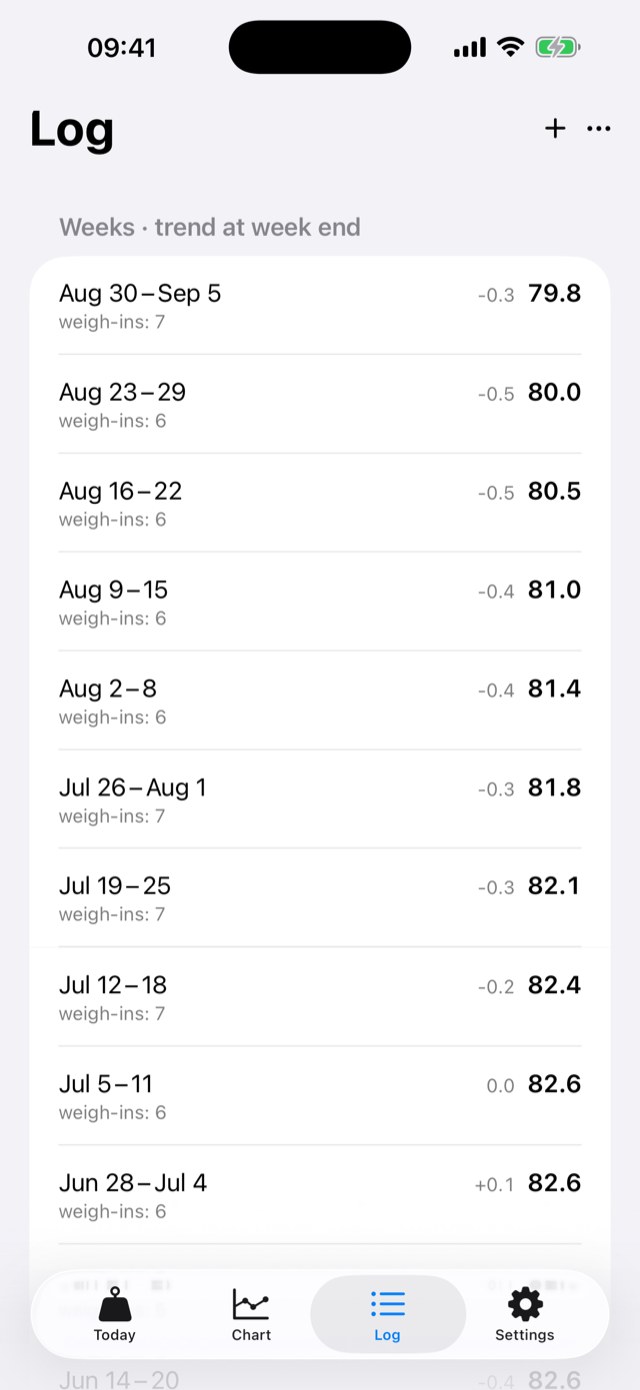
TodayThe week's trend, one sentence about it, the next review date, and the goal as a number. Nothing coloured, nothing counted down.ChartOne point a week, in one colour. No daily dots, no band, no series to switch on and off.LogWeeks instead of days: the dates, how many weigh-ins, the trend at the week's end and how it moved. Every day is still in the file.
What's inside
A goal with an honest pace
Lose, gain or hold a range. The arrival date comes from the pace the trend is really moving at, with the plan's own date under it for comparison, and both say around because that is what they are.
Energy balance without a food diary
The slope of the trend, turned into calories a day: how far under or over maintenance you have actually been, from the scale alone.
A weekly review
Once a week, one sentence: how many weeks in a row the trend has moved one way, and at what average pace. Written from the same numbers every screen uses.
Apple Health, both ways
A weigh-in from a smart scale lands in the log through Health; a day you add by hand is written to Health, once. Nothing in Health is ever changed or deleted by the app.
Your data, in files you can read
Import the CSV from another app and get a trend at once. Export a CSV, or a complete backup, whenever you like; restoring is one file.
Every number explained
The ⓘ on the trend, the body mass index and the goal opens how that number is calculated and where the formula comes from. The maths is The Hacker's Diet, published by John Walker in 1991 and free to read online.
Why it is free
The maths behind WeightGlide is thirty-five years old and belongs to everyone: John Walker wrote The Hacker's Diet in 1991 and put it online for anyone to read. Weighing yourself and doing the arithmetic on the result should not cost a subscription. So the core of the app is free and stays free, and neither your data nor the maths is ever behind a paywall.
WeightGlide Pro is a one-time purchase for conveniences: widgets, a reminder, a report, a lock. It pays the developer's yearly fee, and there is a tip jar for anyone who wants to say thanks. No ads, no analytics, no account: the app has no server, and that is the point.
Free, and what Pro adds
Free, and staying free
Daily weigh-ins and the smoothed trend
Goals, pace and a maintenance range
The chart, the energy balance and the body mass index
Apple Health, both ways
CSV import and export, full backup and restore
The weekly review and Calm Mode
Kilograms, pounds or stones
WeightGlide Pro, one purchase
Widgets and Shortcuts
A daily reminder
Phase markers on the chart
A PDF report
Face ID lock
Alternate icons
One-time purchase with Family Sharing. No subscription, no ads.
On the App Store now, for iPhone with iOS 17 or later.